
When a new site is created, you will want to connect reporters and admins. If you don't do this step, it can look like a newly enrolled reporter has "disappeared," or your admins and supervisors won't be able to see the reporter.
Adding Reporter and Admin Assignments to a New Site
You can do this on the Manage Sites page.
- On the left, in your Mission Control, click Reporters, Admins, & Sites.
- On the right side, click Manage sites & umbrella.
- At the top, select Add a New Site, enter the site name, and click Add.
- Next, at the top of the screen click the Assign reporters and admins to [Name of Site] link.
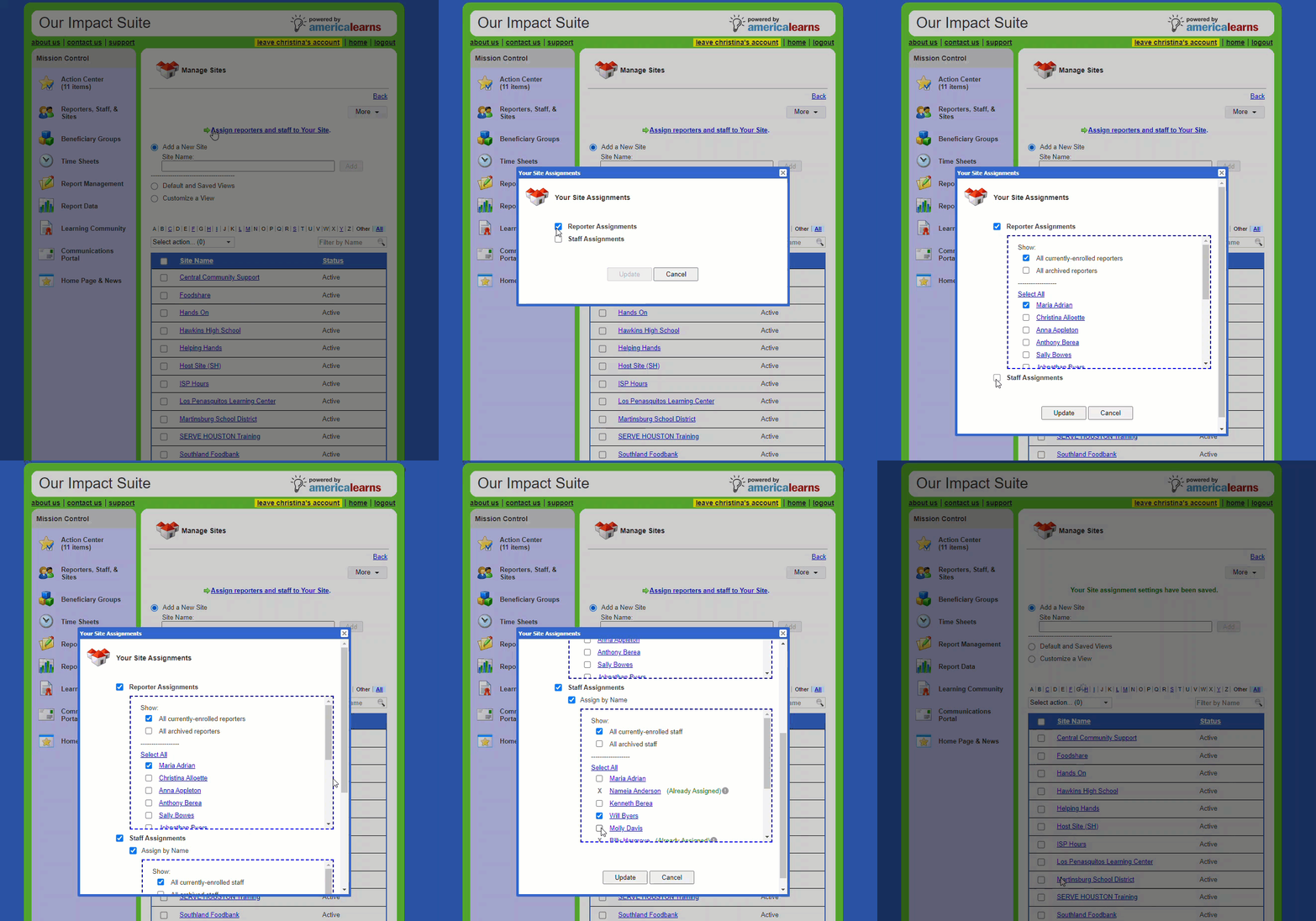
- Add Reporters and Admins as needed and then click Update.
Updating Reporter and Admin Assignments for an Already Existing Site
You can do this on the Manage Sites page.
- On the left, in your Mission Control, click Reporters, Admins, & Sites.
- On the right side, click Manage sites & umbrella.
- Click on the site where you want to update reporter or admin assignments.
- The Site Profile will open.
- Open the Assigned Reporters and Admins panel and click the Edit button.
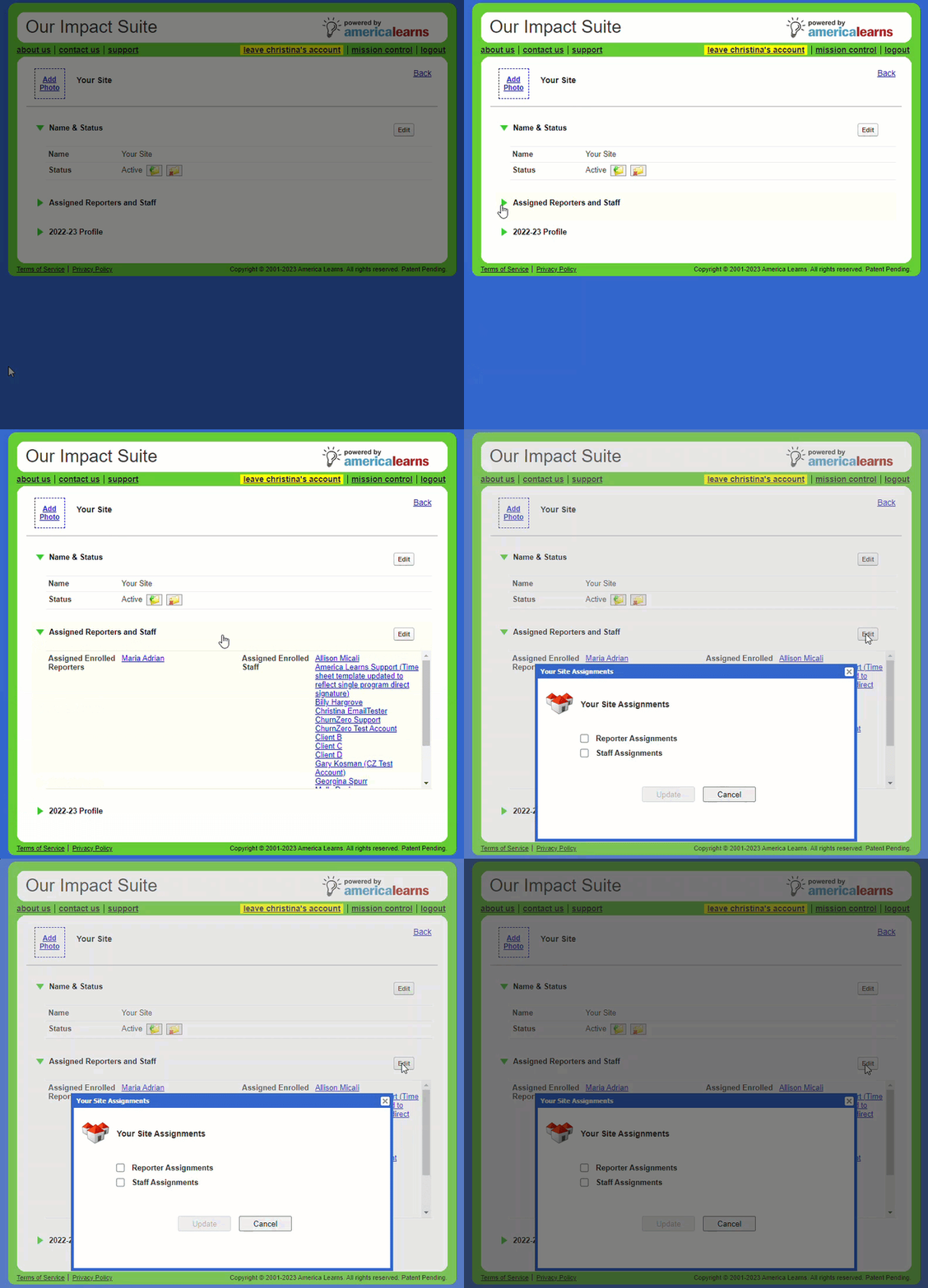
- Add Reporters and Admins as needed and then click Update.